When creating a target income for a client, SIPS offers multiple configuration options, including the ability to automatically reduce target income by a set percentage at a specified age. Below is the hypothetical example using the decreased target income function at age 70.
Client Information:
- Jane Doe, age 65, birth date: 01/01/1961, retirement age: 70
Incomes:
- Wages: $175,000 growing at 3%, Social Security (SS) at 70: $48,000, COLA at 2.8%
Assets:
- Taxable Brokerage Account: $800,000, Moderate 3% net growth per year
- Traditional IRA: $300,000, Conservative 2% net growth per year
- Roth 401(k): $900,000, Aggressive 5% net growth per year
- Residential Home: $380,000 in value, amount owed: $25,000
Goals and Objectives:
- Target Income: While working, the target income is $120,000 with an inflation factor of 2.8%. At age 70, the target income will decrease by 20% in year 6 and then continue growing at an inflation factor of 2.8%. To learn more about switching calendar and year plan views see article: Viewing Calendar Years instead of Plan Years
- Taxable Brokerage Account: Contribute any excess amount for the remainder of the plan. Withdraw from the account to help meet the target income.
- ROTH 401(k): Roth 401(k): Contribute 5% of employee income per year to receive the full match from the employer until age 70. When RMDs begin, withdraw the full amount for the remainder of the plan.
- Traditional IRA: Contribute $8,000 per year until the age of 70, and beginning in retirement years, withdrawal amounts to meet the target income.
Expenses:
- Travel: While working $6,000 with an inflation rate of 2.8%, at age 70, travel expenses start at $8,000 with an inflation rate of 2.8% until age 80.
- Gifting: While working $5,000 per year, in retirement $10,000 for the remainder of the plan.
SIPS provides other shortcuts to more accurately forecast spending as your clients age. Below is a list of helpful articles:
- Percent Decrease Target Income Function
- Limit Inflation in Old Age Function
- Readjusting Target Income in Older Age
Step 1: Edit: Click the green Edit button underneath the Structured Income Planning Heading. 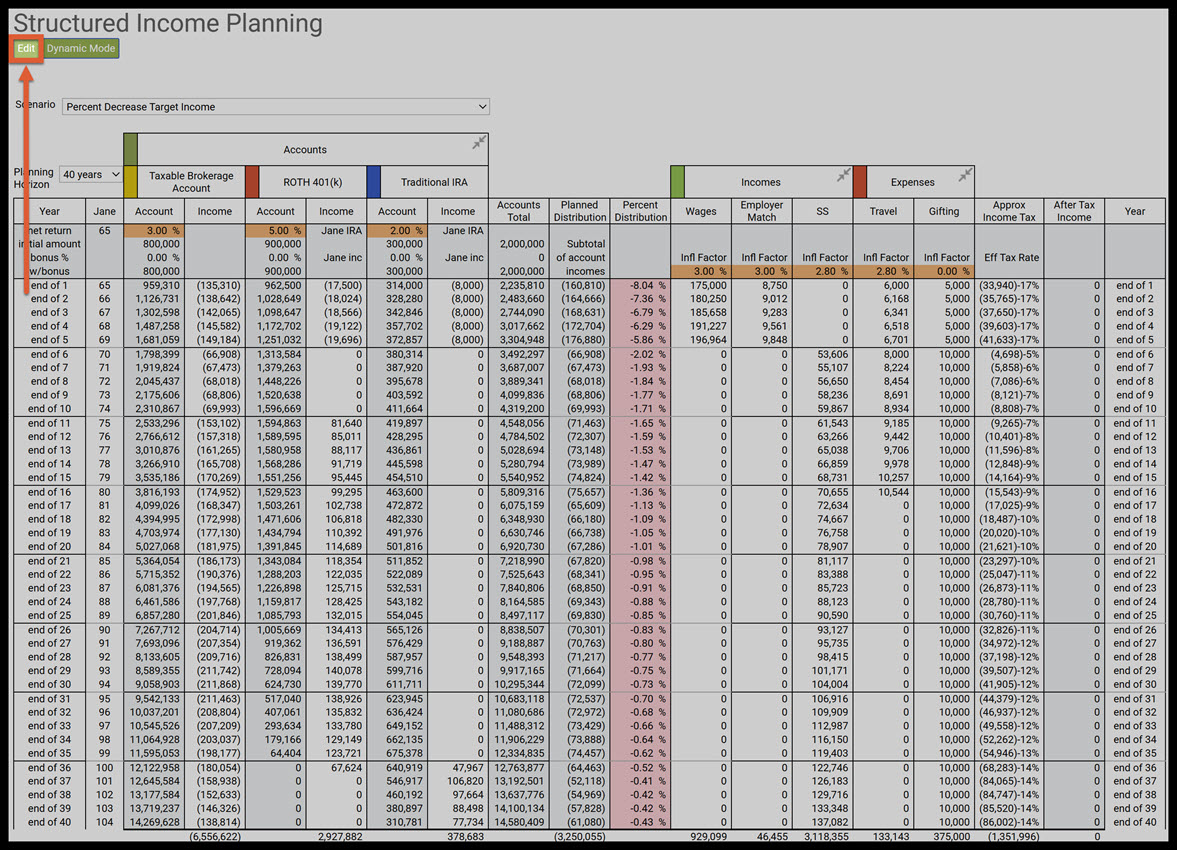
Step 2: Add Target: Click the green Add Target button underneath the Structured Income Planning Heading. 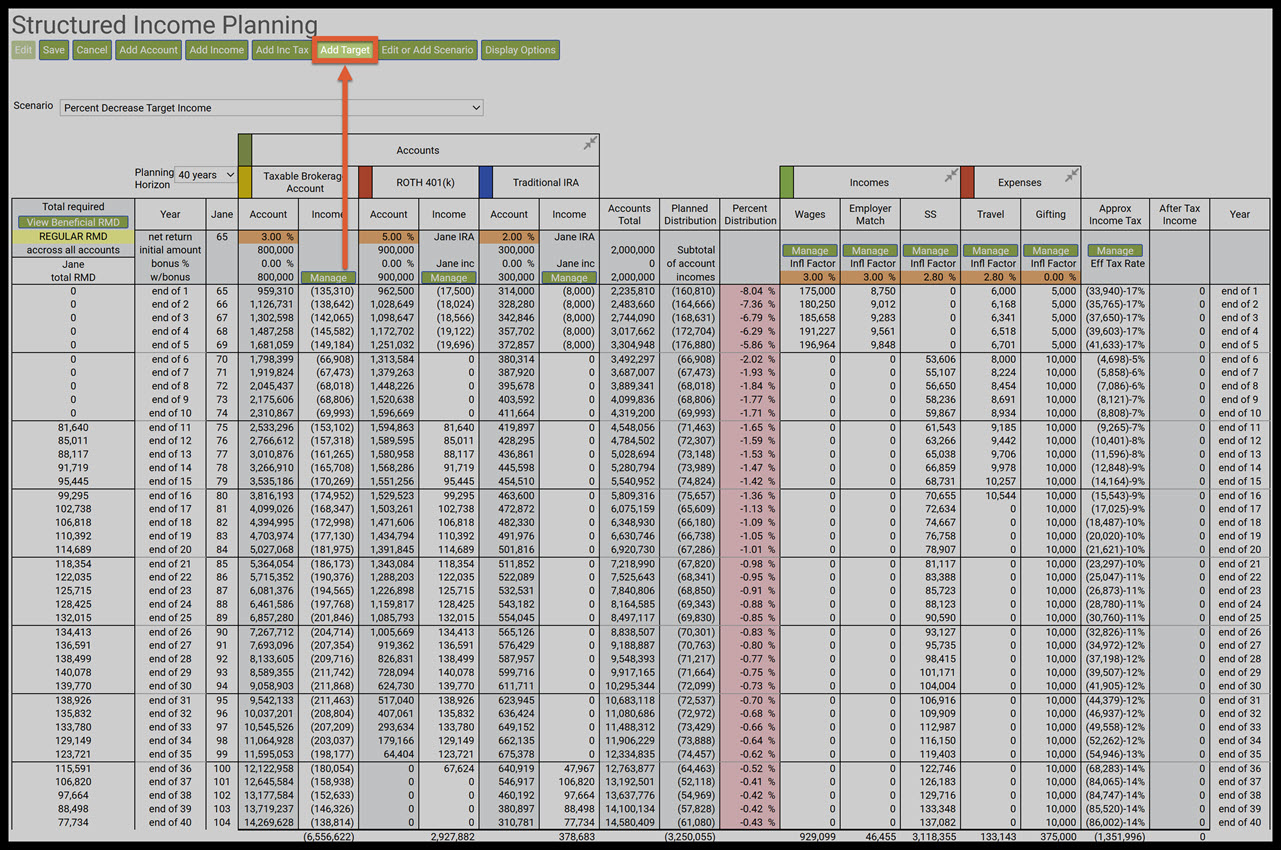
Step 3: Target Name Textbox: SIPS will automatically take you to the Manage Target landing page. Enter a name for the target income column. (Target Income) 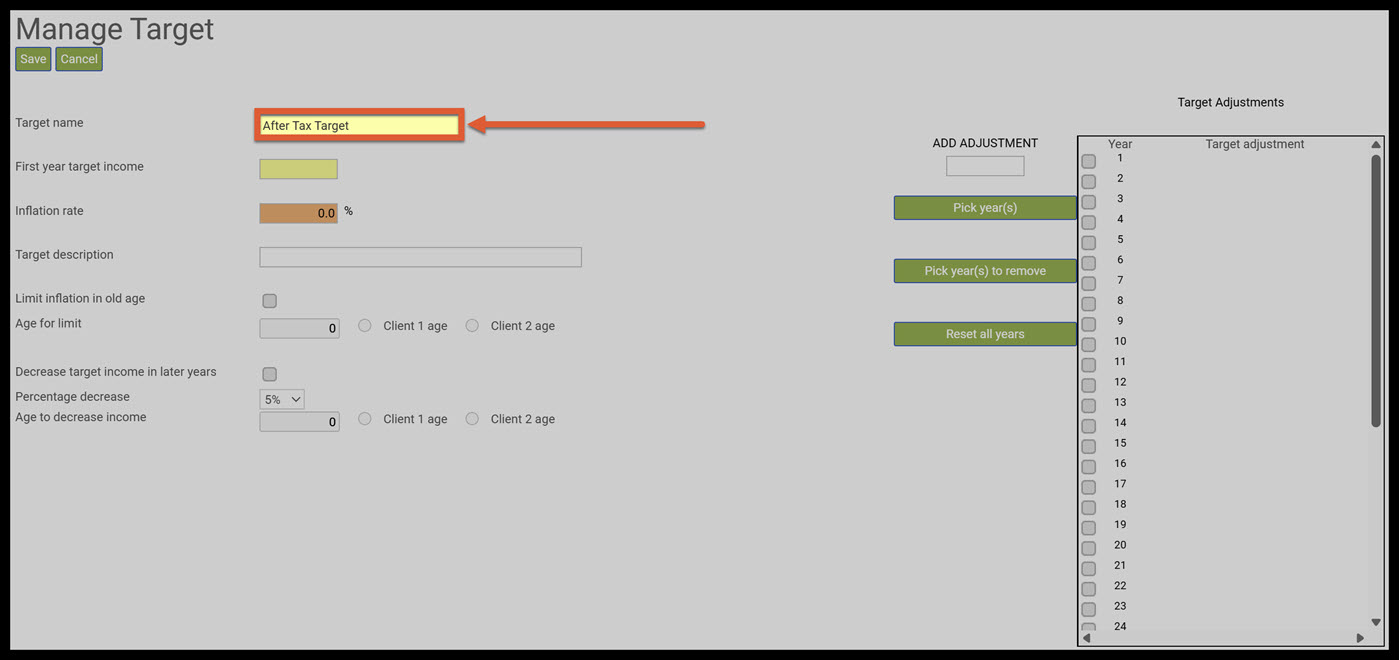
Step 4: First Year Target Income: Enter in the first year target income. ($120,000) 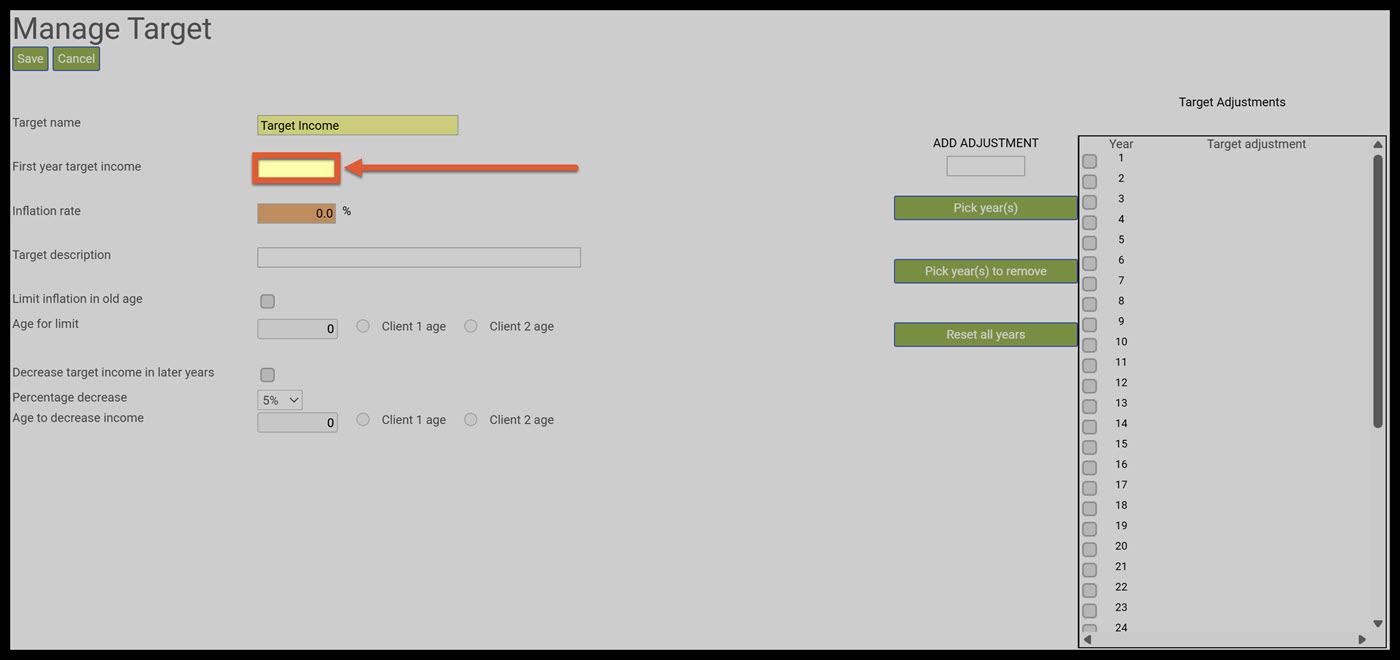
Step 5: Inflation Rate: Enter in the inflation rate (2.8%) 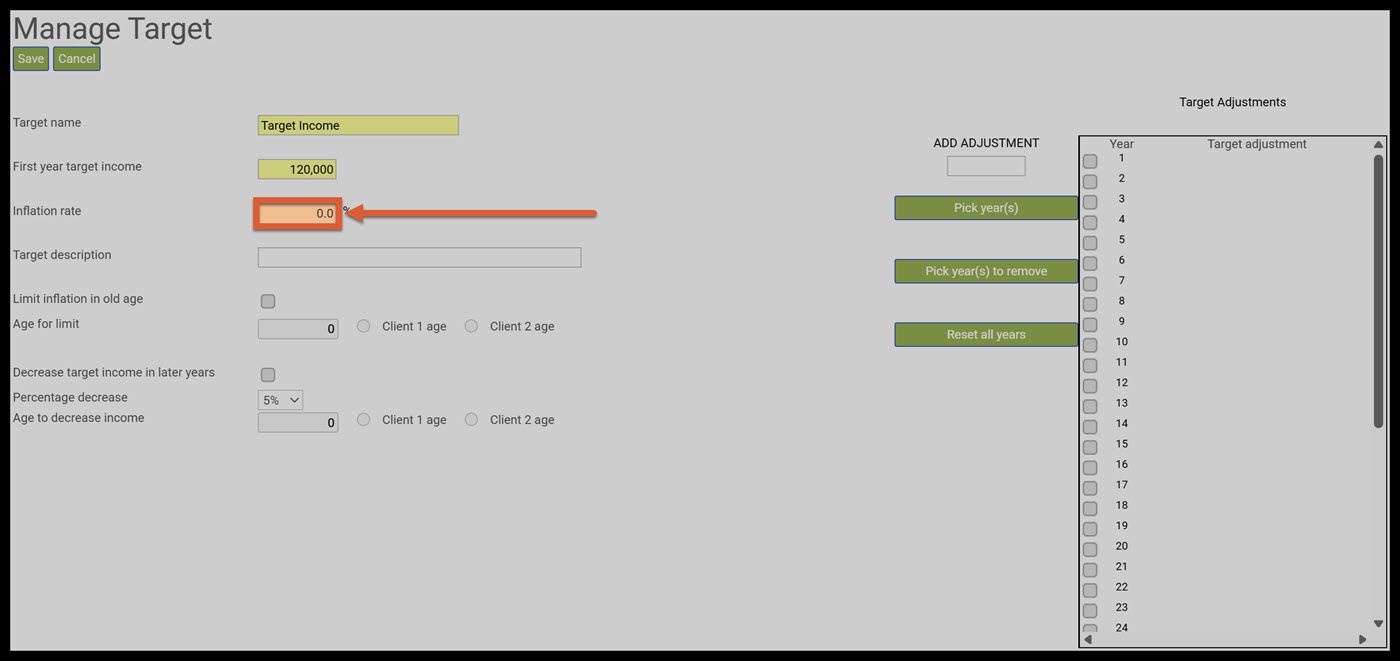
Step 6: Decrease Target Income In Later Years: Click on the Decrease Target Income in Later Years checkbox. 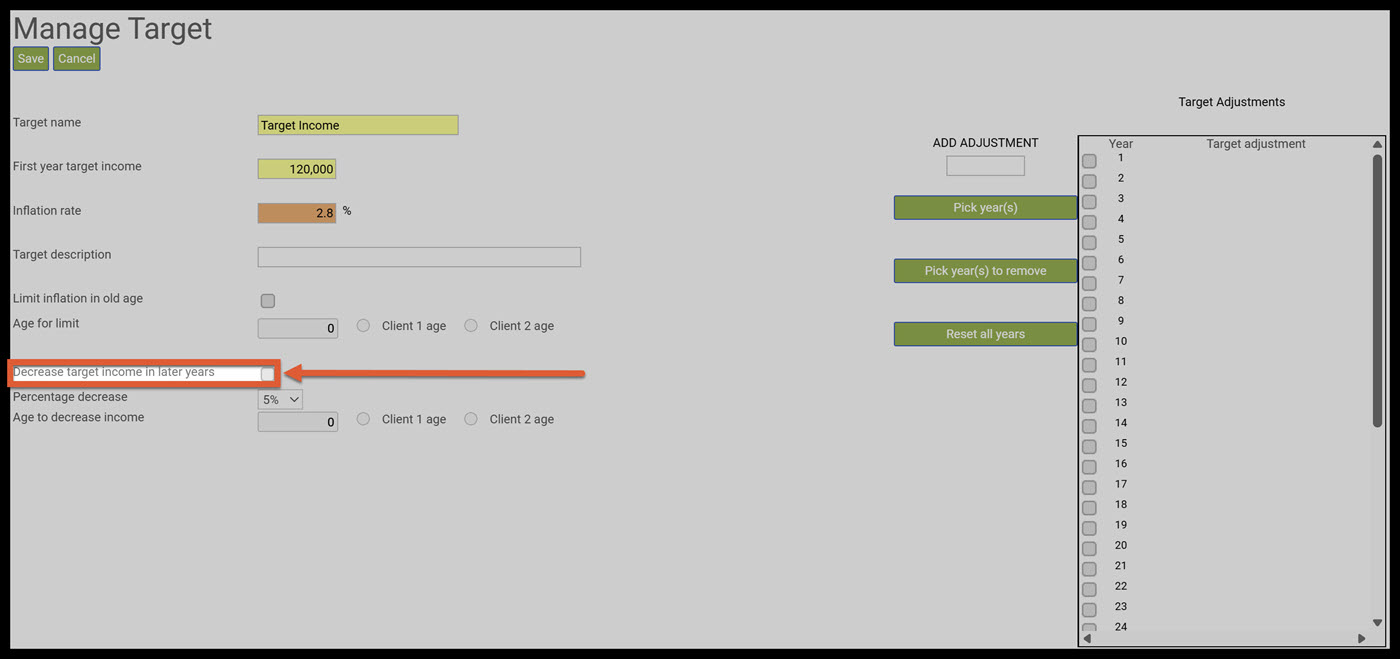
Step 7: Percent Decrease: Click on the drop-down caret arrow and select which percentage decrease you would like to use. (20%) 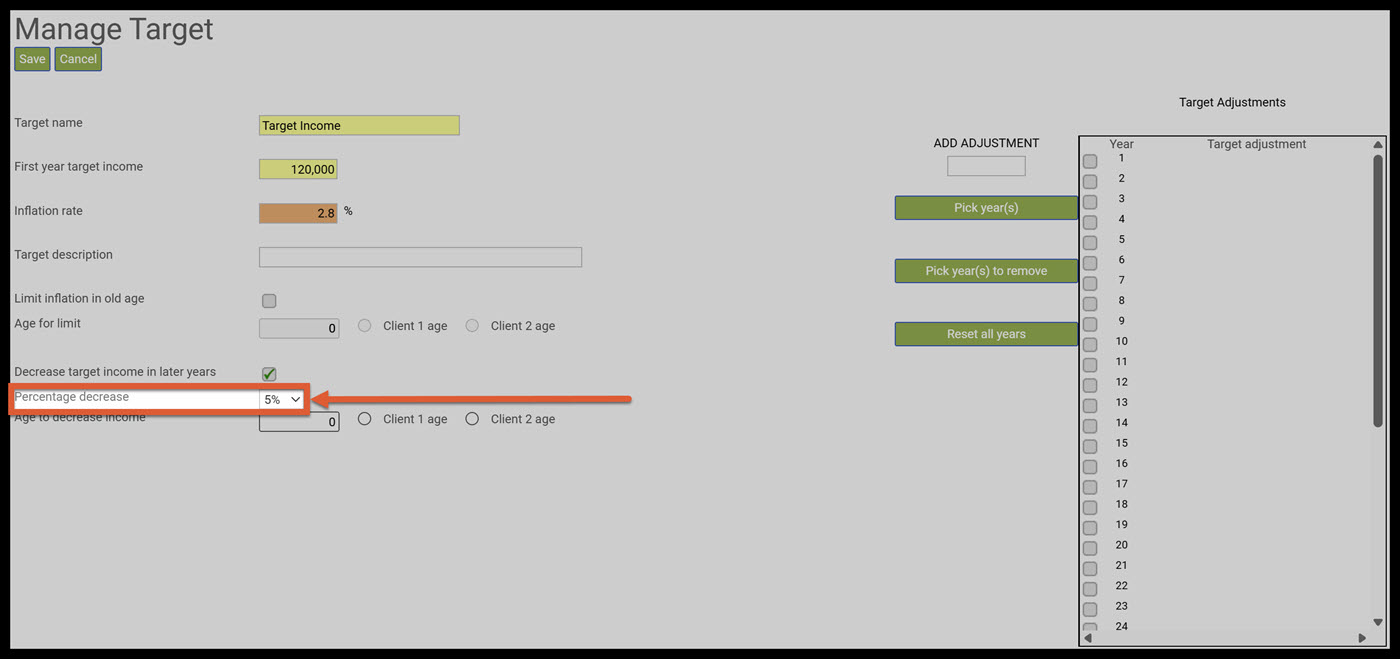
Step 8: Age to Decrease Income: Within the textbox select which age you would like the decrease to begin. (70) 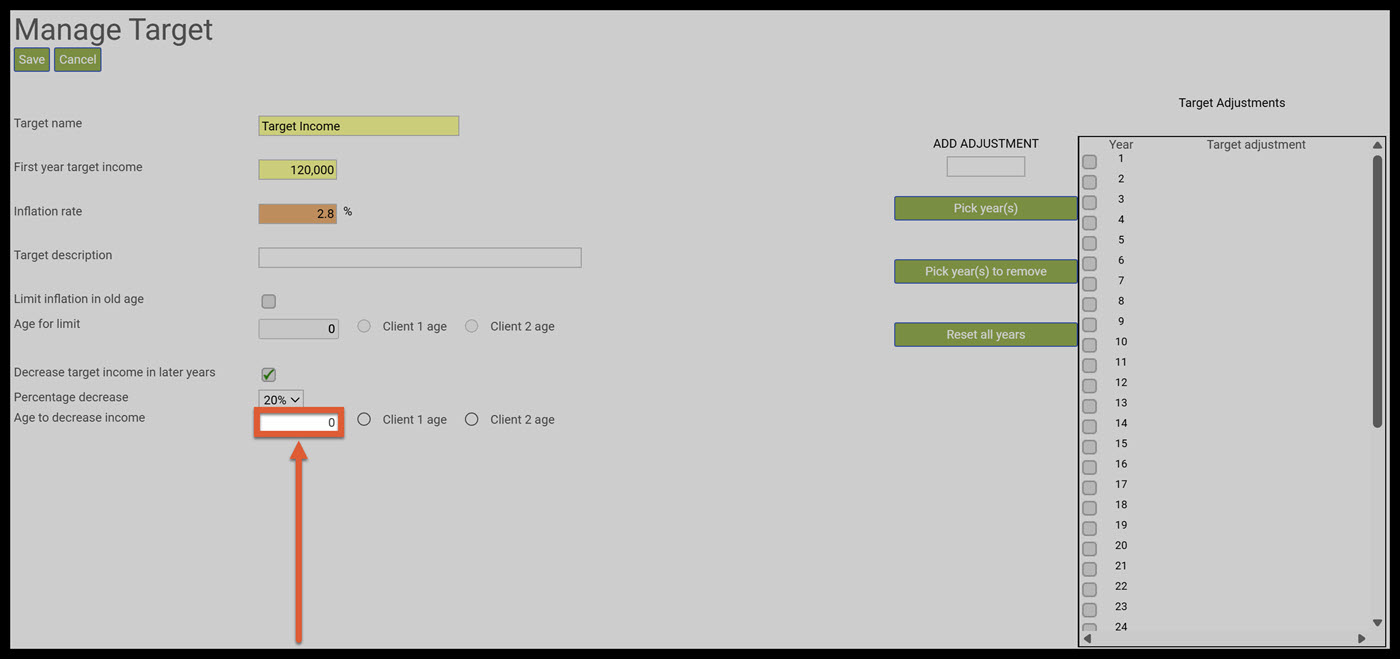
Step 9: Age to Decrease Income Radio Buttons: Select which client you would like to decrease the income for. (Client 1 age) 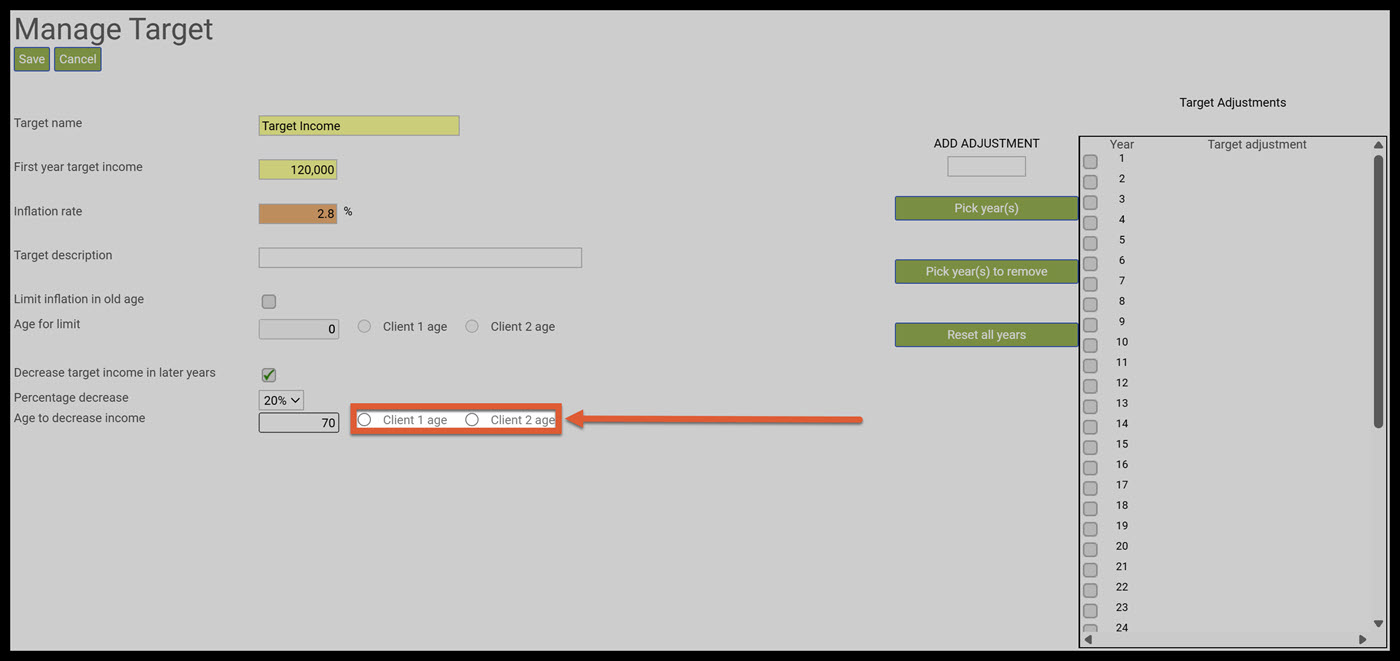
Step 10: Save: Click on the green Save button underneath the Manage Target heading. 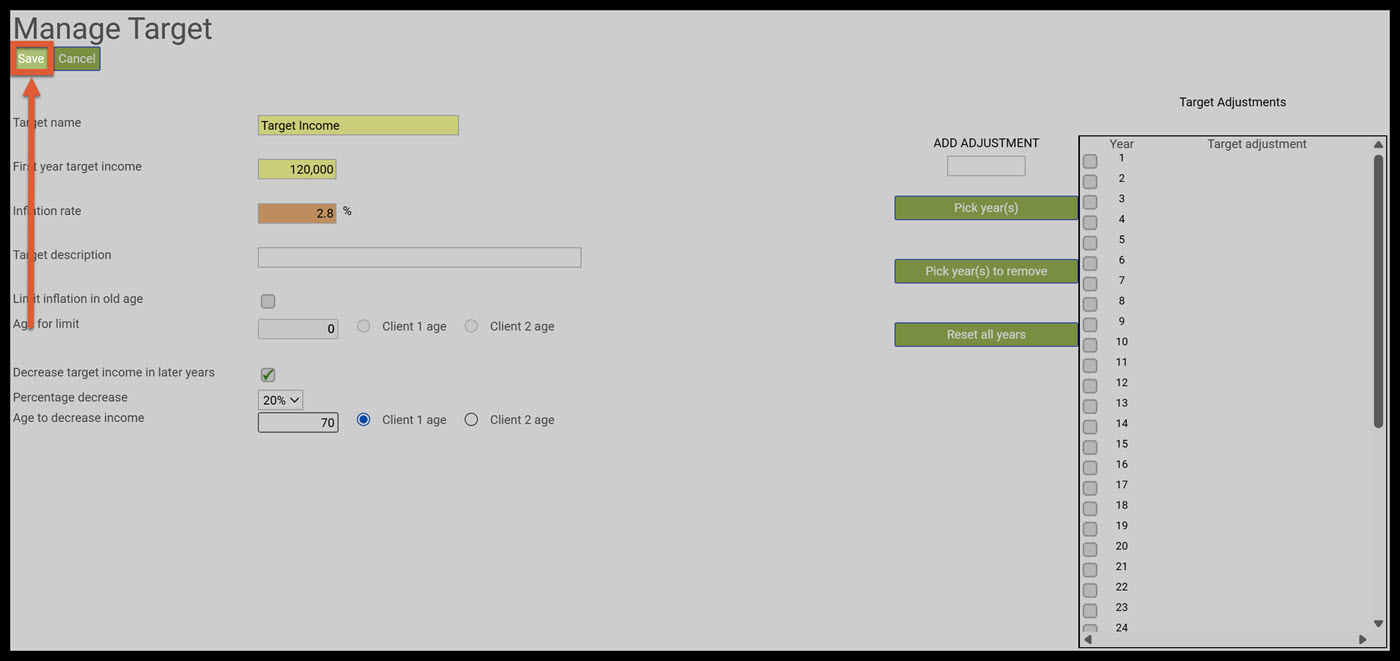
Step 11: Structured Income Planning Landing Page: SIPS will automatically take you back to the Structured Income Planning Landing page. 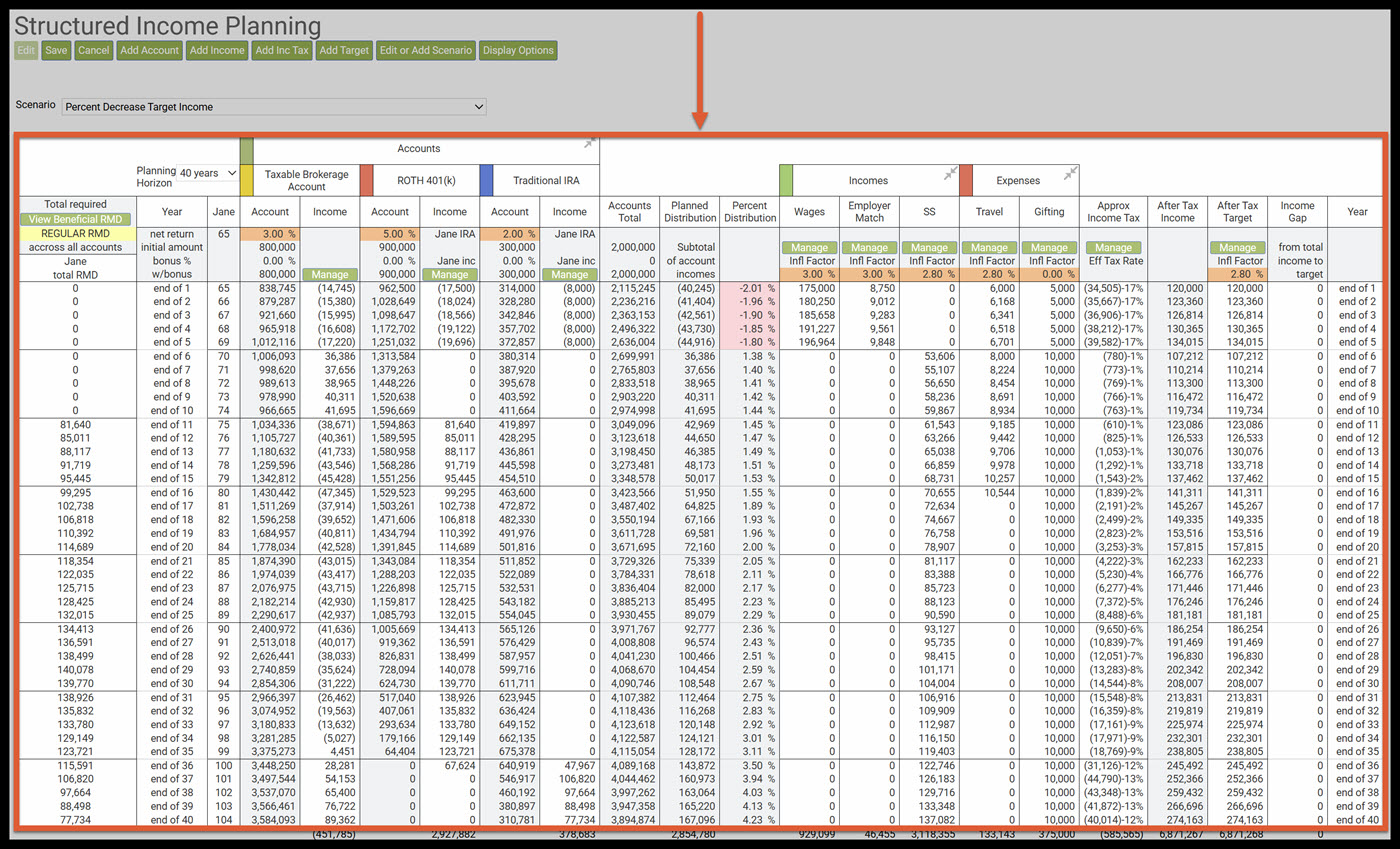
Step 12: After Tax Target Column: A new column has automatically been created in the Structured Income Plan; the After-Tax Target Column. 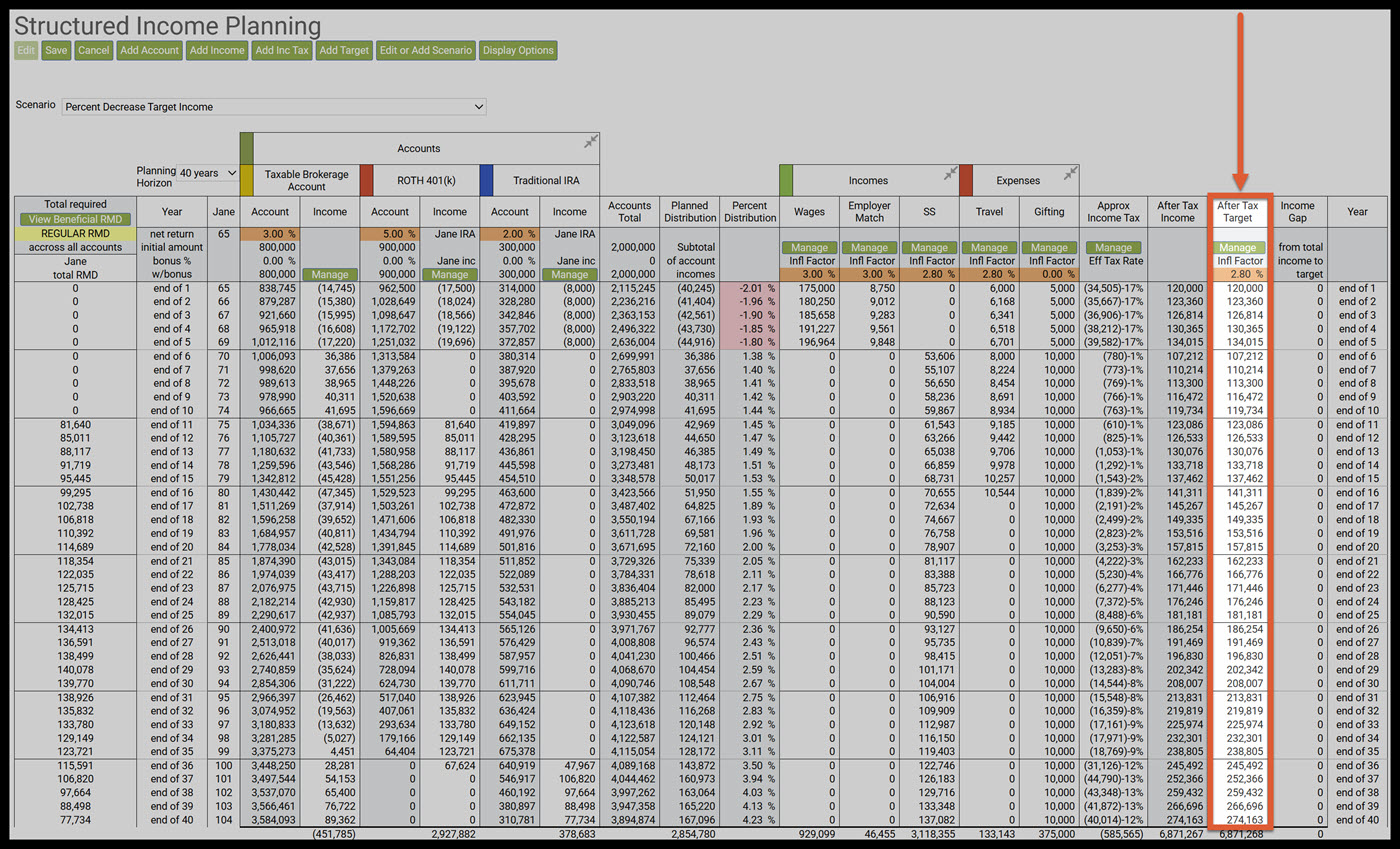
Step 13: Target Income at Age 70: Note that the target income starting at age 70 is 20% lower than the target income at age 69. 134,015*80%=107,212 If you feel you need more support or would like to set up demo time with one of our representatives, please contact us at: support@planscout.com.
